Open Notebook: Self-Host Your Own NotebookLM with 18+ AI Providers
With 27.8k GitHub stars and a two-minute Docker setup, open-notebook gives developers a fully local, provider-agnostic research workspace—no Google required.
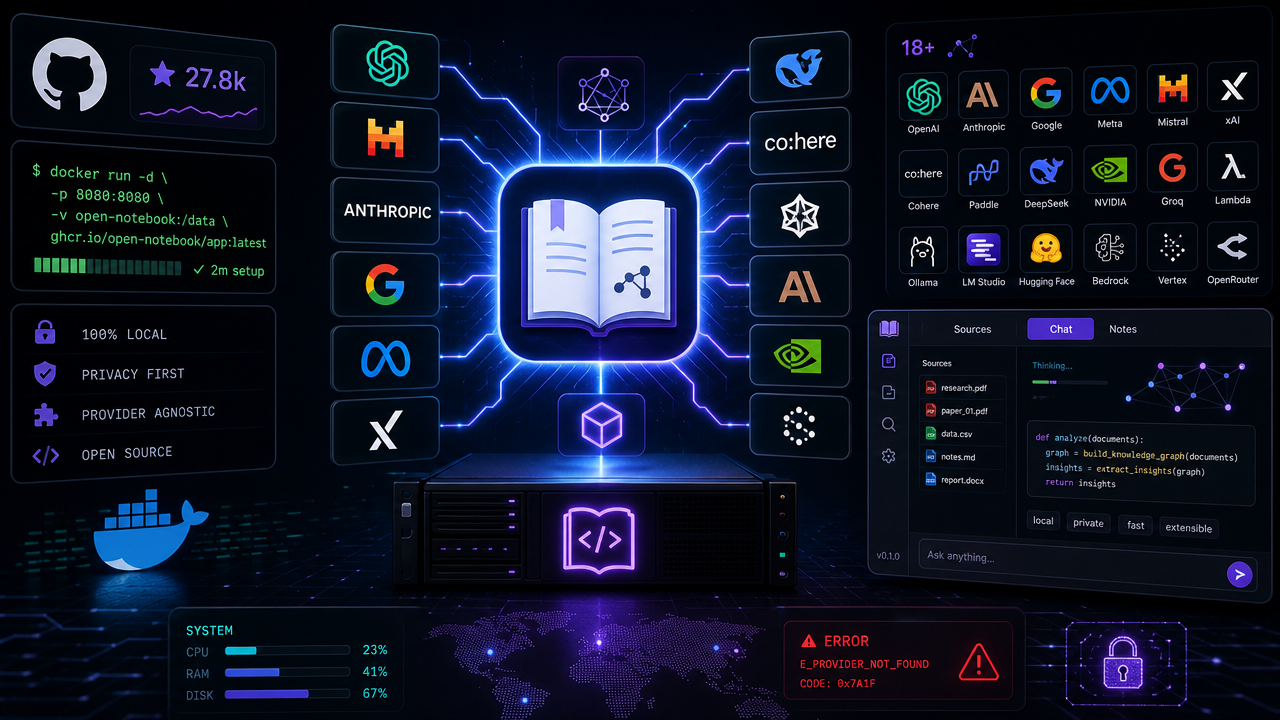
Google's NotebookLM made AI-assisted research feel genuinely useful: drop in sources, ask questions, get grounded answers, even generate a podcast. The catch is obvious to anyone who's thought about it for more than a second—your research lives on Google's infrastructure, locked to Google's models. open-notebook is the self-hosted answer, and its 27.8k stars suggest plenty of developers have been waiting for exactly this.
What It Actually Does
At its core, open-notebook mirrors the NotebookLM workflow: ingest sources, chat against them, generate structured content. But the implementation details matter:
- Multi-modal ingestion — PDFs, web pages, audio, and video all land in the same notebook.
- Full-text + vector search across all your content, not just the currently active sources.
- AI chat with context — conversations are powered by the documents you've curated.
- Podcast generation — here's where it diverges sharply from the original. NotebookLM caps you at two speakers in a fixed deep-dive format. open-notebook supports 1–4 speakers with custom profiles and full script control.
- REST API — something NotebookLM doesn't offer at all, meaning you can wire notebooks into pipelines, CI jobs, or whatever automation you're building.
Provider Flexibility Is the Headline Feature
NotebookLM is Google-models-only. open-notebook supports 18+ providers: OpenAI, Anthropic, Google, Groq, Ollama, LM Studio, and more. You configure everything post-install through a settings UI—add credentials, test the connection, discover available models, register them. No YAML archaeology required.
The Ollama integration is worth calling out specifically. The repo ships an examples/docker-compose-ollama.yml that wires up local model inference alongside the main stack, so you can run the entire thing air-gapped if your threat model demands it.
For cost-sensitive workloads, swapping to a cheaper provider or running Ollama locally is a first-class workflow, not a hack.
Getting It Running
The quick-start path is genuinely fast. You need Docker Desktop and nothing else upfront—API keys are added through the UI after the fact.
curl -o docker-compose.yml \
  https://raw.githubusercontent.com/lfnovo/open-notebook/main/docker-compose.yml
The compose file brings up two services: open-notebook itself (ports 8502 for the UI, 5055 for the API) and SurrealDB backed by RocksDB for persistence.
services:
  surrealdb:
    image: surrealdb/surrealdb:v2
    command: start --log info --user root --pass root rocksdb:/mydata/mydatabase.db
  open_notebook:
    image: lfnovo/open_notebook:v1-latest
    ports:
      - "8502:8502"
      - "5055:5055"
    environment:
      - OPEN_NOTEBOOK_ENCRYPTION_KEY=change-me-to-a-secret-string
      - SURREAL_URL=ws://surrealdb:8000/rpc
One thing to actually do before docker compose up -d: change OPEN_NOTEBOOK_ENCRYPTION_KEY to something real. Credentials for your AI providers are stored encrypted against that key, so leaving the default in place is an obvious footgun.
After a 15–20 second startup window, the UI is at http://localhost:8502.
Where It Falls Short (Honestly)
The comparison table in the README is candid about one gap: citations. NotebookLM is known for comprehensive source attribution; open-notebook describes its current citation support as "basic references (will improve)." For research workflows where traceability matters—legal, academic, compliance—this is a real limitation to weigh.
The project is also young enough that the API surface and data model could shift. If you're building automation on top of the REST API, keep an eye on the CHANGELOG before upgrading.
That said, the trajectory is clear: active development (739 commits), a Discord community, multi-language UI (English, Portuguese, Chinese, Japanese, Russian, Bengali), and a published roadmap all signal a project with momentum behind it. For developers who want the NotebookLM experience without handing their research to a cloud provider, open-notebook is the most complete option currently in the open-source space.
Discussion 0
Join the discussion
Sign in with GitHub to comment and vote.
No comments yet
Be the first to weigh in.