Stop Leaking Secrets: A Developer's Practical Guide to Environment Variables and Secrets Management
Bots scan GitHub for API keys within minutes of a push. Here's the minimum-viable strategy every developer needs to keep credentials out of version control, logs, and error messages.
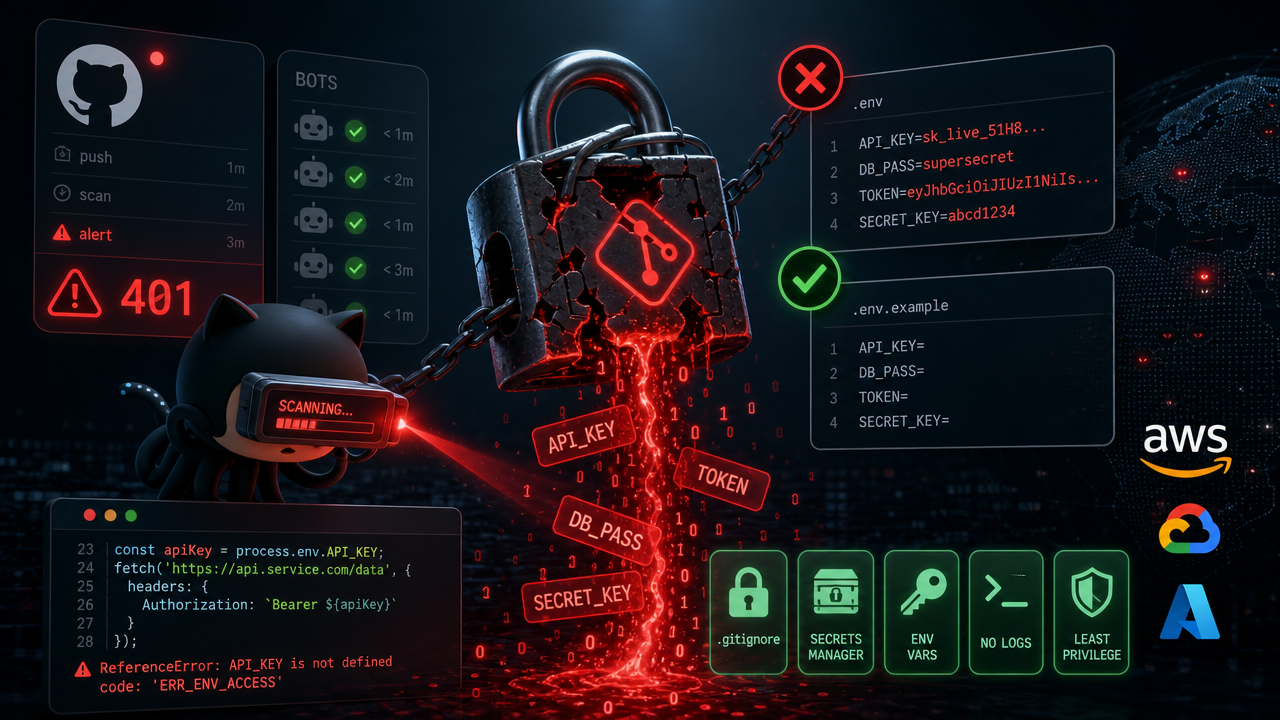
Credential leaks are one of the most common and most preventable security incidents in software development. This isn't just an enterprise problem — it hits solo side projects, open-source repos, and startup internal tools with equal frequency. And the root cause is almost always the same: someone treated secrets like ordinary configuration and had no clear strategy for keeping them out of version control.
Bots actively scan GitHub for newly pushed API keys, database URLs, and private credentials. They find them within minutes of a commit going public. By the time you notice and rotate the key, the damage may already be done.
The patterns below aren't bureaucratic overhead. They're the minimum viable approach for any application that talks to a real database or a real API.
What Environment Variables Actually Are
An environment variable is a key-value pair that lives in a process's environment — a set of values the OS makes available to any running program. Every process inherits the environment of the process that spawned it.
In Node.js:
const port = process.env.PORT;
const dbUrl = process.env.DATABASE_URL;
In Python:
import os
port = os.environ.get('PORT')
db_url = os.environ.get('DATABASE_URL')
The core value proposition — and why env vars became the standard — is that they decouple what the app does from where it runs. The same application code can point at a local development database or a production cluster without a single line change. This is the heart of the 12-Factor App principle: store config in the environment, not in the code.
The .env File: Useful Tool, Not a Distribution System
In local development, you don't set environment variables by hand before every terminal session. Instead, you use a .env file — a plain text file at the project root with one key=value pair per line:
DATABASE_URL=postgresql://localhost:5432/myapp_dev
STRIPE_SECRET_KEY=sk_test_abc123xyz
JWT_SECRET=a-long-random-secret-string
PORT=3000
NODE_ENV=development
Libraries like dotenv (Node.js), python-dotenv (Python), and godotenv (Go) read this file at startup and load those values into the process environment. In Node.js, load it first — before anything else imports process.env:
import 'dotenv/config';
Here's the distinction that matters most: a .env file is a local developer convenience, not a secrets distribution system. It should never be committed to version control, never end up on a server, and never be baked into a Docker image.
Before you write a single value in .env, add it to .gitignore — no exceptions:
# .gitignore
.env
.env.local
.env.*.local
.env.development.local
.env.test.local
.env.production.local
If you've already committed a .env file — even once, even months ago — that secret exists in your Git history permanently. Deleting the file from the current tree doesn't remove it from past commits. Your only options are to rotate every exposed credential and use git filter-repo or BFG Repo Cleaner to scrub the history. That .gitignore entry costs five seconds and prevents all of it.
The .env.example Pattern
Once .env is gitignored, new developers cloning the repo have no idea what variables the app needs. The solution is a .env.example file — committed to the repo, containing all required keys but no real values:
# .env.example — copy to .env and fill in your local values

# Database
DATABASE_URL=          # e.g. postgresql://localhost:5432/myapp_dev
DATABASE_POOL_SIZE=10  # Optional. Defaults to 10.

# Auth
JWT_SECRET=            # Min 32 chars. Generate: openssl rand -hex 32
JWT_EXPIRES_IN=7d

# Stripe
STRIPE_SECRET_KEY=     # Stripe Dashboard → Developers → API keys
STRIPE_WEBHOOK_SECRET= # Stripe Dashboard → Webhooks → Signing secret
Good comments here — especially telling developers where to get a value, not just that it's needed — eliminate an entire class of onboarding questions. The flow becomes clean and self-contained:
git clone https://github.com/your-org/your-app
cp .env.example .env   # fill in your values
npm install && npm run dev
No Slack messages. No waiting for someone to send credentials over an insecure channel. No undocumented required services discovered at runtime.
Separating Config by Environment
Most apps run in at least three environments: local development, CI, and production. Each has different credentials and sometimes different behavior. A layered .env file strategy handles this cleanly:
.env              # Shared non-secret defaults — committed
.env.local        # Local machine overrides — gitignored
.env.test         # CI test runner config — possibly committed (no secrets)
.env.staging      # Staging environment — NOT committed
.env.production   # Production environment — NOT committed
In Node.js, load the right file based on NODE_ENV:
import dotenv from 'dotenv';
import path from 'path';

dotenv.config({
  path: path.resolve(process.cwd(), `.env.${process.env.NODE_ENV ?? 'development'}`)
});
For production and staging, environment variables should be injected by your platform — not stored in files on the server. Every major hosting provider (Railway, Render, Fly.io, AWS, GCP, Heroku) has a first-class mechanism for this. For more sensitive secrets at scale, dedicated secrets managers like AWS Secrets Manager, HashiCorp Vault, or Doppler provide auditing, rotation, and access control that flat files simply can't.
The investment in getting this right is small. The cost of getting it wrong — a leaked production database credential or a compromised API key — is not.
Discussion 0
Join the discussion
Sign in with GitHub to comment and vote.
No comments yet
Be the first to weigh in.